No account, ever
Open the app and send. No sign-up, no sign-in, no email address.
Send photos, videos, documents and apps from one phone to another — or to your computer — over a direct Wi-Fi link. Your files are never uploaded.
Simple enough to use in seconds, careful enough to trust with your photos.
Open the app and send. No sign-up, no sign-in, no email address.
Files travel straight from one device to the other. They are not stored on any server.
The app sets up a temporary Wi-Fi link between the phones. Your mobile data stays untouched.
Open the link shown on your phone in any browser on the same Wi-Fi. Nothing to install, no cable.
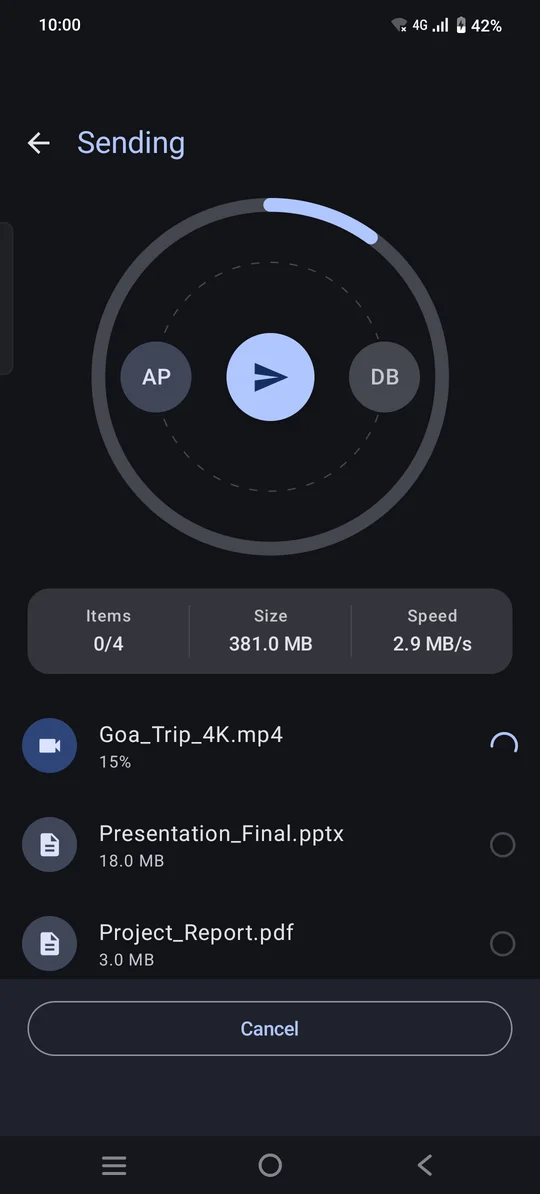
If the connection drops, the transfer reconnects on its own and resumes instead of starting over.
A one-time pairing code protects each transfer, and nothing arrives until the receiver taps Accept.
No pairing menus, no settings to dig through.
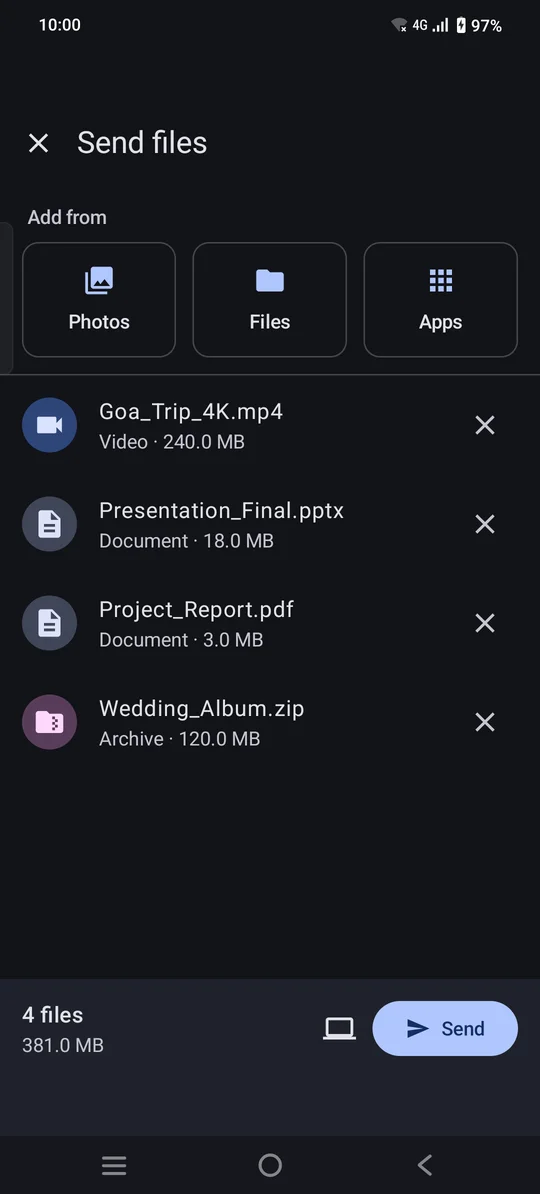
Photos, videos, documents or apps — as many as you like.
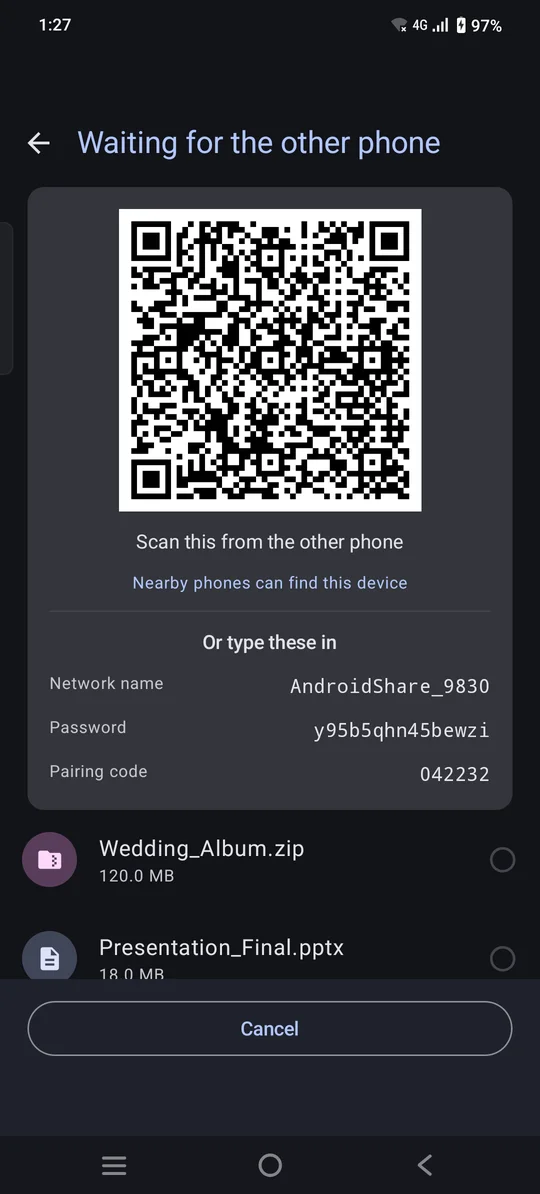
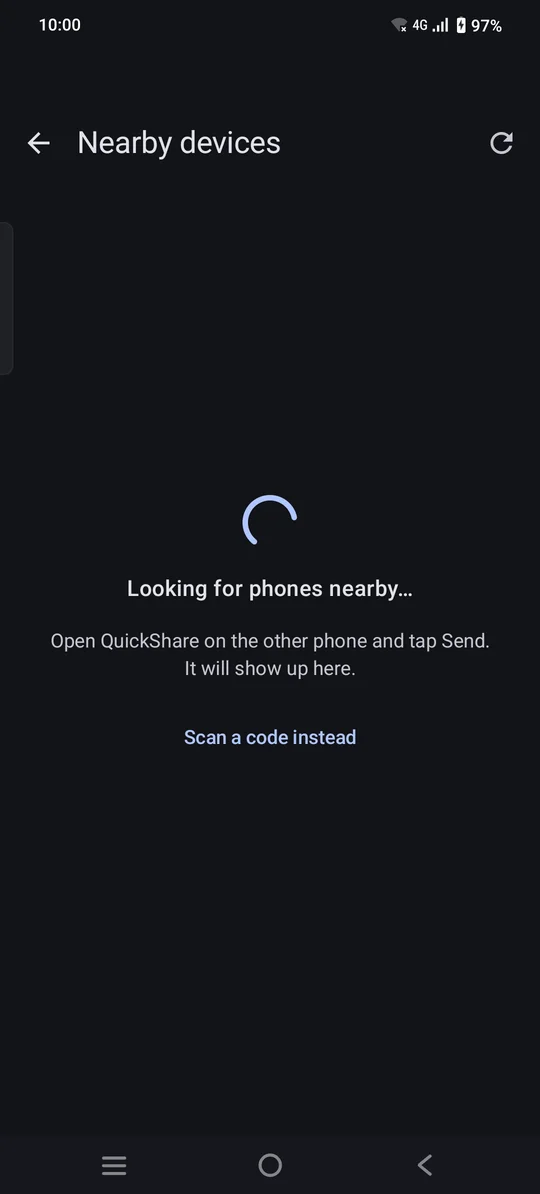
The other phone picks yours from the Nearby list, or scans the code.
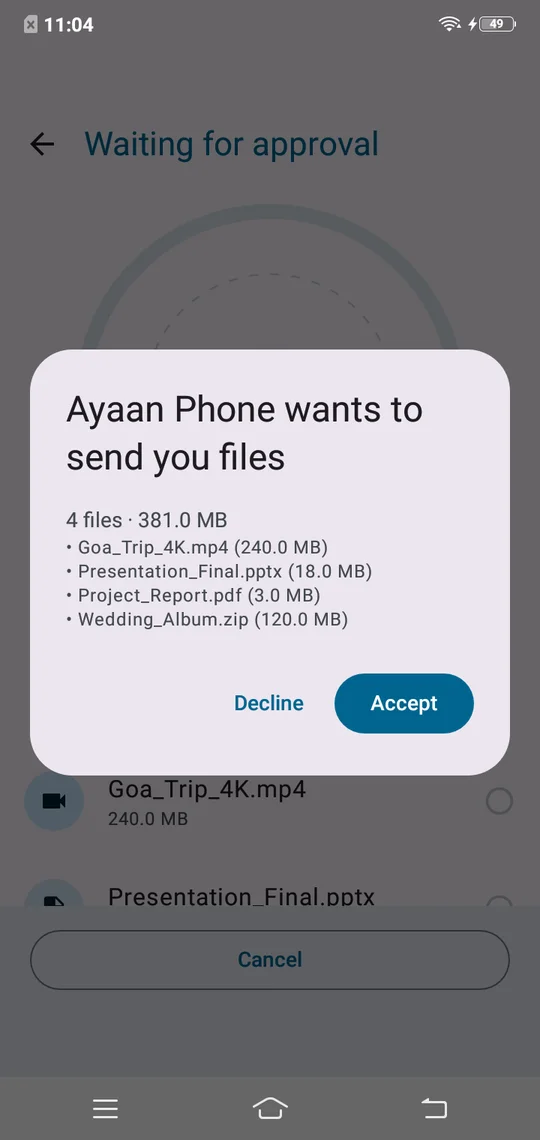
The receiver sees exactly what's coming and taps Accept.
There's no server in the middle to trust. Your files only ever exist on the two devices involved.
☁️ Cloud server: not involved
Yes. The app is free and shows ads. Where required by law, you're asked for your ad privacy choices, and you can change them any time from the home screen.
No. Files move over a temporary Wi-Fi connection between the two devices, so no internet connection is needed for the transfer itself.
Pick your files, tap the computer icon, and open the link shown on your phone in a web browser on a computer connected to the same Wi-Fi network. Some public and office networks block devices from reaching each other; the app warns you when that might be the case.
The transfer reconnects automatically and resumes from where it stopped. If it can't reconnect, send again and finished files are recognised rather than copied twice.
To receive on a phone, yes — both phones need the app. To receive on a computer, no — any web browser on the same Wi-Fi works.
Android 8.0 (Oreo) and newer.

Free on Google Play. No account, no cloud — just your files, where you want them.
Get it onGoogle Play